Solutions · Education

Interactive panels for schools

One panel — four classrooms: it rolls from room to room on a mobile stand. We train your teachers and back it with a 3-year warranty.

A teacher giving a lesson on a Horion interactive panel in a spacious classroom, students at desks

Problem → solution

3 problems — 3 solutions.

  • Problem

    Projector: shadows, a washed-out image, a lamp that dies after 3,000–5,000 hours.

    Solution

    A 4K panel — 50,000 hours.

    No blinds to close, no teacher blocking the image. 50,000 hours means over 20 years at 6 lessons a day, with no lamp or filter costs.

    50,000 hours

  • Problem

    Board + markers + erasers: monthly costs, chalk dust every lesson.

    Solution

    Write with a finger, erase with a palm.

    You write directly on the screen with a finger and erase with a palm. The written lesson is saved — no redrawing it for the next class.

    0 markers

  • Problem

    Teachers lose prep time to flash drives, cables and adapters.

    Solution

    Phone → board, in one tap.

    A presentation from a phone or laptop appears on screen wirelessly. Google Classroom and YouTube run on the panel itself — ready content opens in a minute.

    1 tap

The flow

How a lesson goes.

  1. Switch on — ready

    One button and the panel is up in seconds. No projector warm-up, no closing blinds, no lights off.

  2. Open Whiteboard

    Write with a finger, erase with a palm. Shapes and formulas straighten automatically, and the page never ends.

  3. Connect a phone or laptop

    A presentation, video or a student’s work goes on screen wirelessly. Up to 4 devices at once.

  4. Save the lesson, share by QR

    The board is saved as a PDF. Students grab it on their phones via QR code — no copying into notebooks.

Recommended bundle

Our pick for a classroom: the 75″ M6A Pro V2.

For a standard class of 25–30 students, 75 inches stays readable from the back row. On a mobile stand, one panel serves several classrooms.

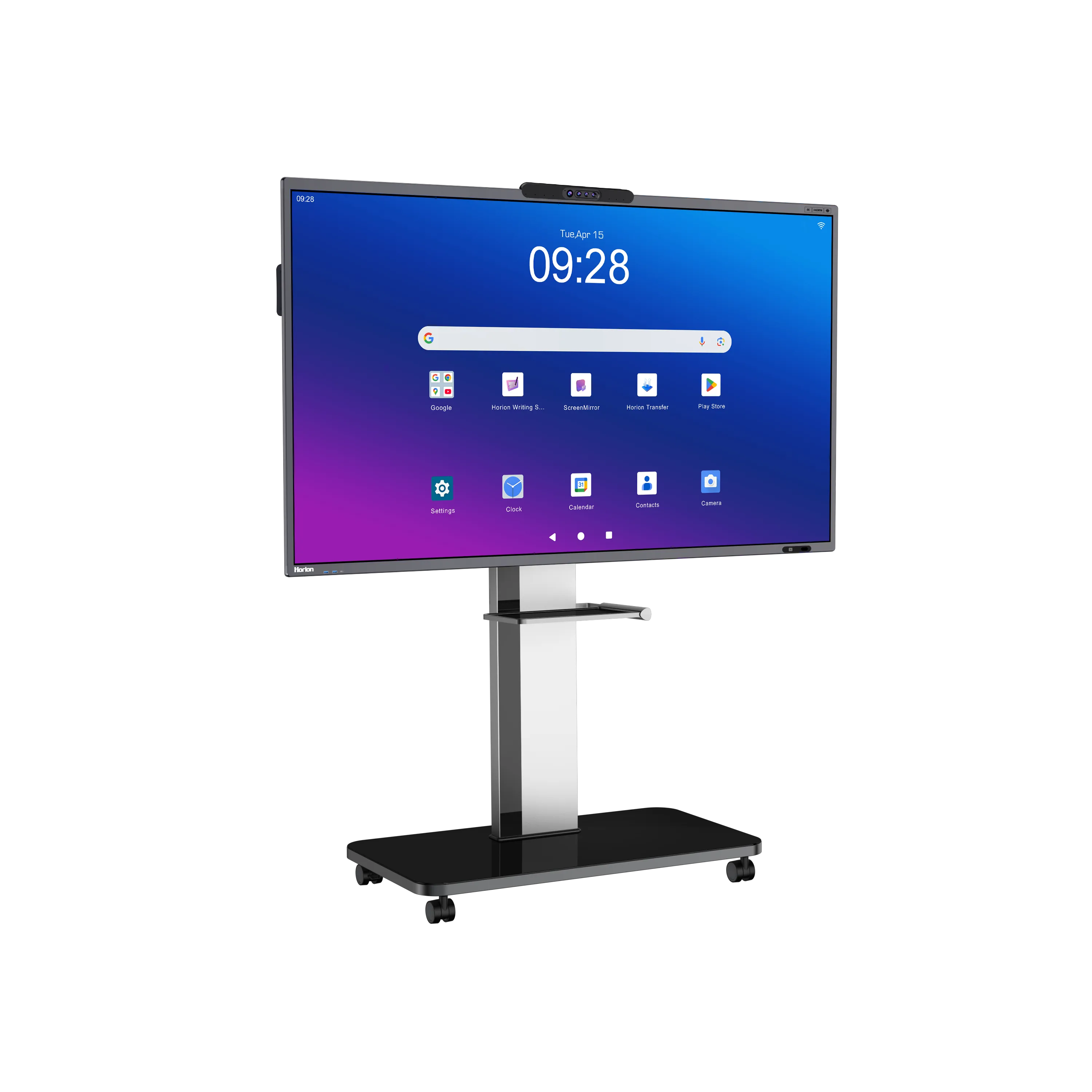
Horion M6A Pro V2 interactive panel on a mobile stand, left angle, Android home screen

Horion 75″ M6A Pro V2

In the bundle

  • Interactive panel — Your chosen size, 4K, Android
  • Mobile stand — On wheels, adjustable height
  • Smart stylus — HP-3S, with NFC
  • Installation — Our own specialists, across Uzbekistan
  • Training — Hands-on session for teachers and staff
  • 3-year warranty — In-house service centre, no middlemen

Price: in your quote within 15 min During working hours we call back within 15 minutes and send a quote for your school

Smaller class — 65″; large class or lecture room — 86″.
For schools

We don’t just sell — we teach you to use it.

  • We train teachers for free

    After installation, a hands-on session for teachers: writing, connecting phones and laptops, saving lessons. Questions later? The service centre line is always open.

  • Public procurement and tender experience

    We work with budget organisations via xarid.uzex.uz. Specifications for the technical brief, quotes, certificates and a draft contract — on request.

  • We deliver and install across the regions

    49% of our orders come from outside Tashkent. We deliver, install and train across all of Uzbekistan — with the same warranty.

    49% of orders from the regions

In the classroom

From kindergarten to university.

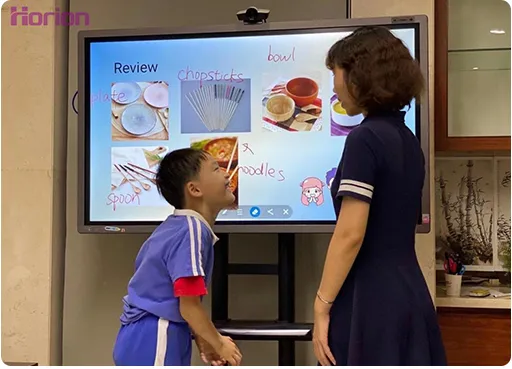
  • A primary school pupil and a teacher at a Horion interactive panel during a lesson
    Primary school A child at the board — writing with a finger
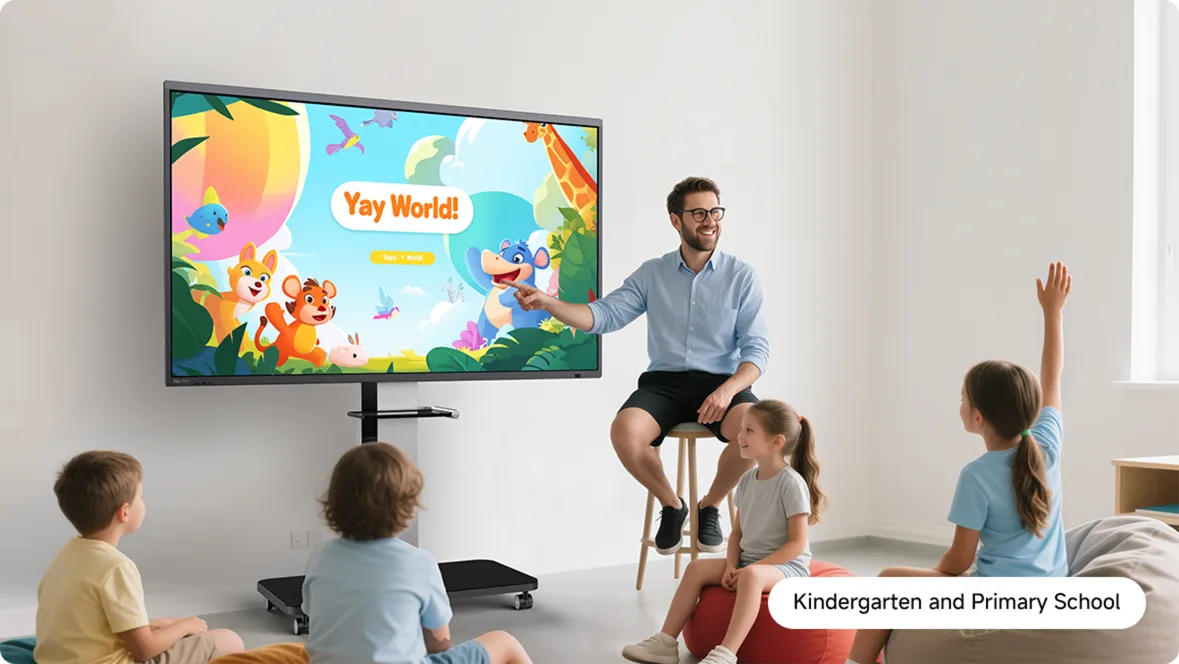
  • A teacher and children at a Horion panel on a mobile stand in a kindergarten group
    Kindergarten On a mobile stand, set to the children’s height
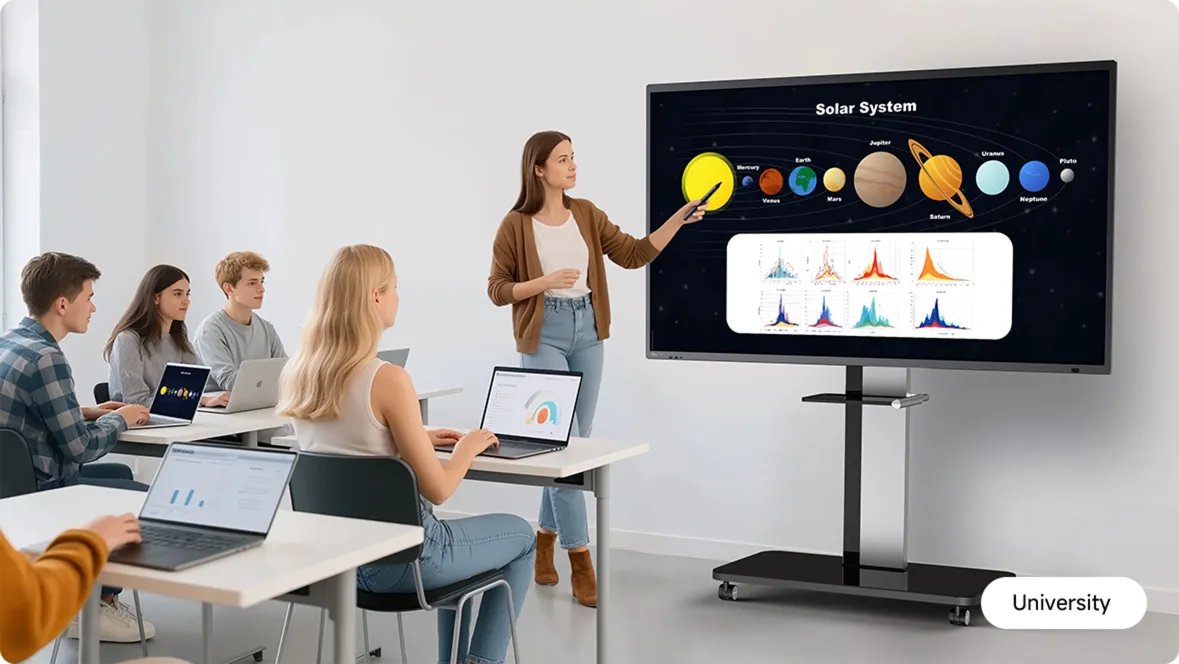
  • A solar system lesson on a Horion panel in a university lecture hall, students with laptops
    University Lecture rooms — 86″ and up

Questions schools ask

Will teachers pick it up? How does training work?

Yes — the interface works like a phone. After installation we run a hands-on session: writing, connecting, saving, Google Classroom. Training is free and the format fits your school. After that, the service centre answers any questions.

How long does installation take? Will it disrupt lessons?

Mounting on a mobile stand takes one visit, with no construction work. Wall mounting also takes a day, outside lesson hours. The exact day is fixed in the quote and contract.

Power and safety: is it safe for children?

The panel plugs into a regular 220 V socket — no dedicated line needed. The 9H tempered glass resists impact and there are no sharp corners. The stand’s wheels have brakes, so the panel won’t roll on its own.

The warranty is 3 years — what happens after?

For 3 years, repairs are handled by our own service centre. We keep servicing panels after that too — parts and service prices on request. The panel’s 50,000-hour lifespan far outlasts the warranty.

Try it in your own lesson.

A free demo — at your school, in our showroom or online. One hour, no obligations. During working hours we call back within 15 minutes.

or +998 78 707 07 07 Telegram

Call back in 15 min during working hours → quote → demo date Today after 9:00 — call back → quote → demo dateTomorrow after 9:00 — call back → quote → demo date

By clicking the button you consent to the processing of personal data. Privacy policy

Request a demo or quote

Just your name and phone — we’ll discuss the rest on the call

Call back in 15 min during working hours → quote → demo date Today after 9:00 — call back → quote → demo dateTomorrow after 9:00 — call back → quote → demo date

By clicking the button you consent to the processing of personal data. Privacy policy